Previews before payment
Every scene comes with a sample clip, so choosing a video style is a matter of watching rather than guessing.
A kissing video lives or dies on its movement. Each trykissai scene ships with its own motion direction and a preview clip you can watch, so you can see how a rainy street or a packed subway car moves before spending a single credit.
30 free credits when you sign up. Adults 18+ only.
Open a few scenes in Kiss Scenes and play their preview clips. Notice the camera movement and how tight the framing is, because your clip will follow the same direction.
Generate a 5-credit still in the scene you like. If the faces or the pose look wrong here, they will look wrong in motion too, so this is the cheap place to catch it.
Switch to video mode with the same photos and scene. For 25 credits the scene is composed again and turned into a 5–7 second clip, so expect it to be close to your test still rather than identical.
Every scene comes with a sample clip, so choosing a video style is a matter of watching rather than guessing.
Clips run about 5–7 seconds, a length that fits a message thread, a story slot or a quick loop.
Night rain on a city street, a crowded train carriage, red seats in a dark movie theater: scenes with texture give the motion something to work with.
Testing a pair of photos with a 5-credit still before committing to a 25-credit video means a poor match costs you 5 credits, not 25.
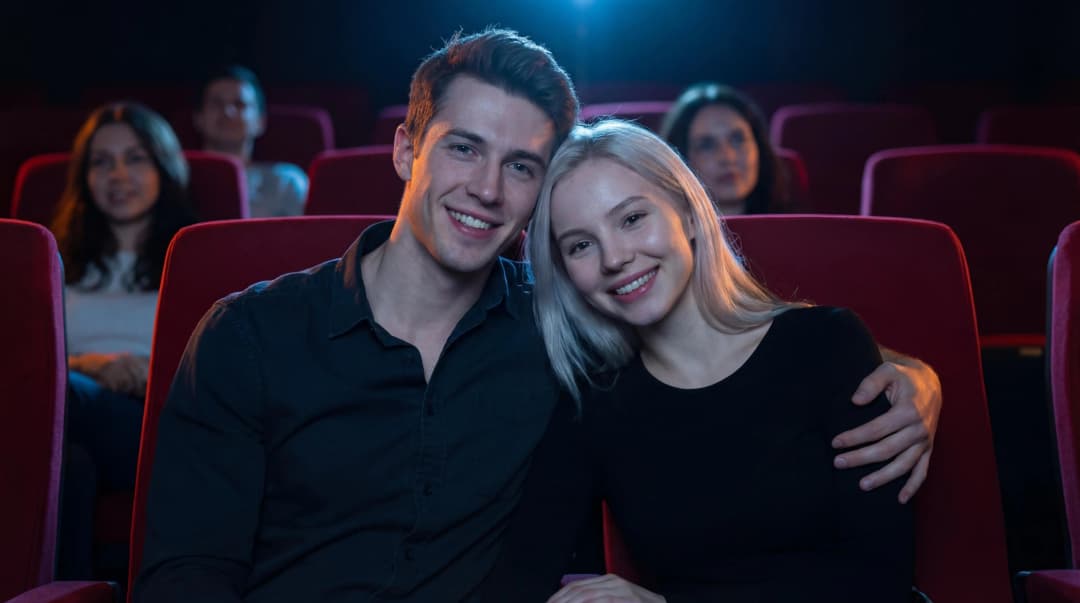
Side by side in the red seats of a dim movie theater, one arm around a shoulder, the couple leans in for a long kiss while the audience watches the film.
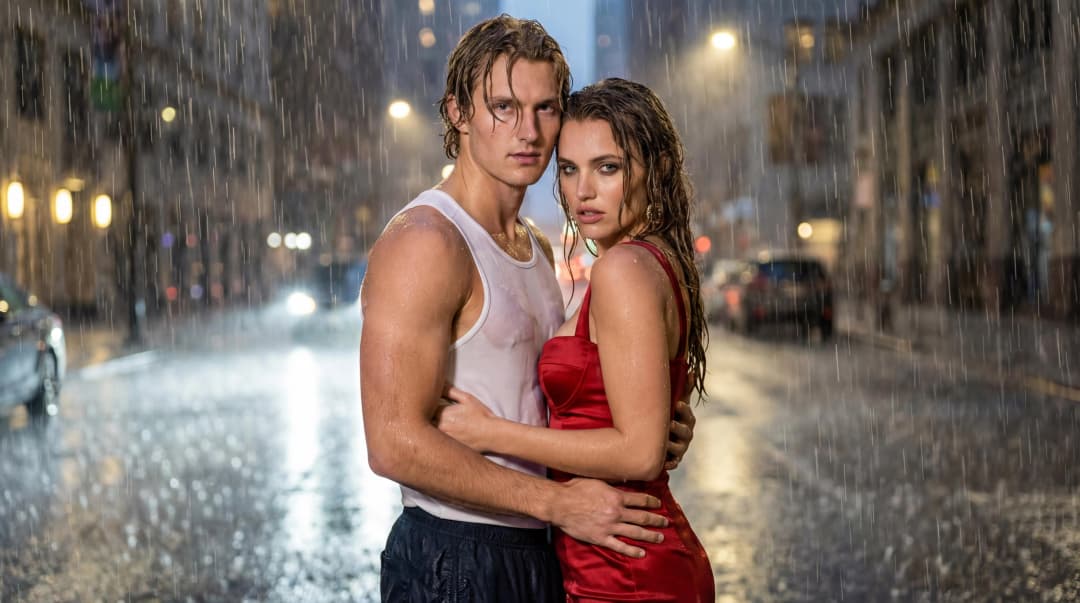
Soaked to the skin on a city street at night, hands at the waist and rain pouring down, while the camera circles around the couple for a close-up kiss.
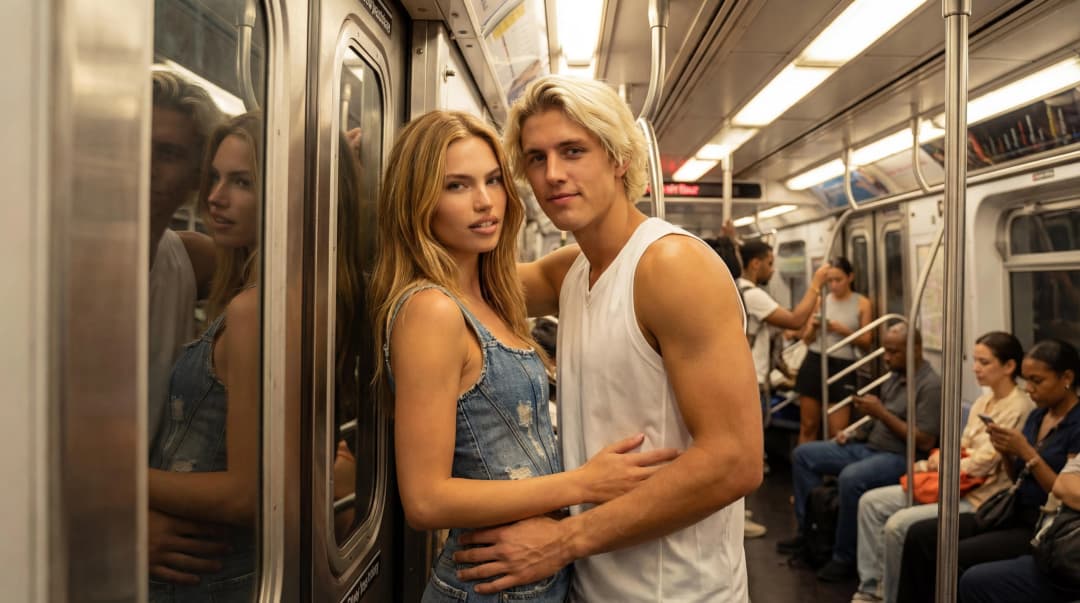
Leaning on the door of a crowded subway car with arms around each other's waist, the couple shares a kiss while the passengers behind them blur.
Most scenes produce a clip of roughly 5–7 seconds. The exact length depends on the scene you choose.
Every kiss video costs 25 credits; that one run builds the scene image and the 5–7 second clip. The 30 free starter credits cover one video with 5 credits left over for a kiss photo.
Yes. Video mode works straight from your photos and a still is never required. The only reason to start with a 5-credit still is to check that your photos suit the scene before spending 25.
The preview shows the scene with sample people. Your clip is generated from your photos, and AI output varies between runs, so expect some differences and, now and then, a retry.
Yes, download it once it finishes. Generated videos are stored for 7 days and then deleted automatically.
Open the studio, add Person A and Person B, and pick a scene. Your first tries are covered by the free credits.
Make a kiss clip